Books & Audiobooks
We have exciting news to share! Your online library account portal, My Account, will be redesigned in early February to make it easier and more intuitive to manage checkouts, holds, renewals, and reading history, as well as bookmarks and other saved lists.
What will be changing?
Plenty! First and foremost, the “My Bookshelf” bar along the bottom of the screen will be retired in favour of a new, full-screen account portal. Keep reading for a preview of what the new changes will look like.
When can I expect to see the new account portal?
We anticipate the new account design will be deployed during the first week of February.
Preview Upcoming Changes
Sign In
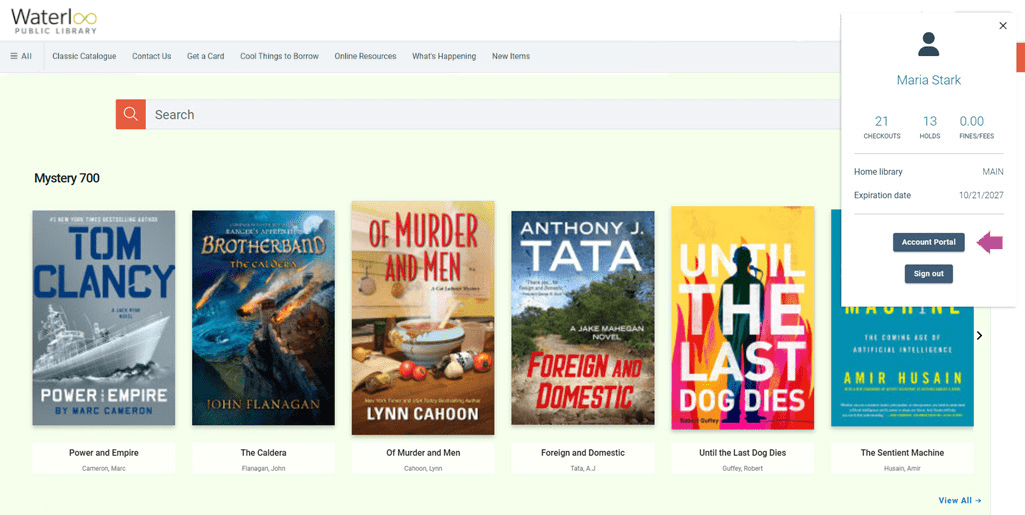
Once you have signed in, you will access your account by clicking your name at the top of the page and selecting the “Account Portal” button in the account overview window.
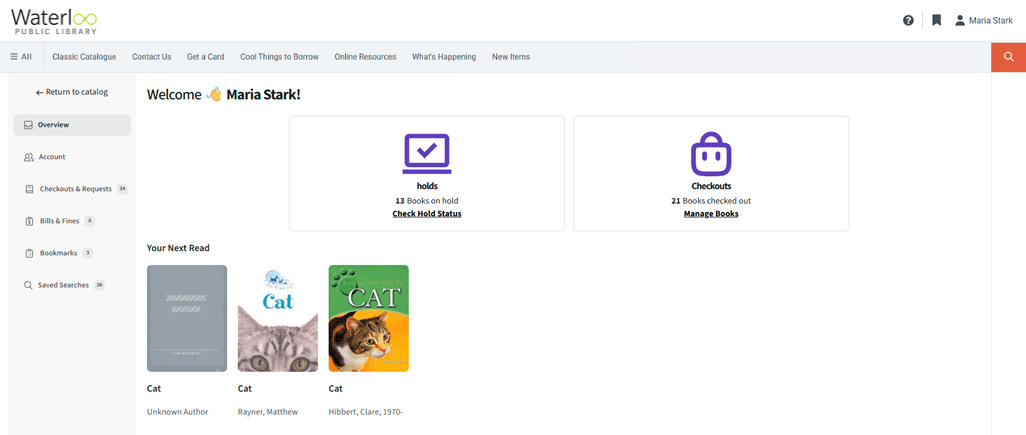
Full-Screen View
Instead of your account opening partway up the screen, the new design will take you to a full-screen view of your account. A quick summary of your holds and checkouts will appear. If you have any bookmarks or saved items, these will also appear under the heading “Your Next Read”.
Checkouts, Holds, and Reading History
Items you have borrowed or placed on hold, as well as items in your reading history, will be displayed in a full-page view. You can easily switch between viewing checkouts, holds, or reading history as shown below:
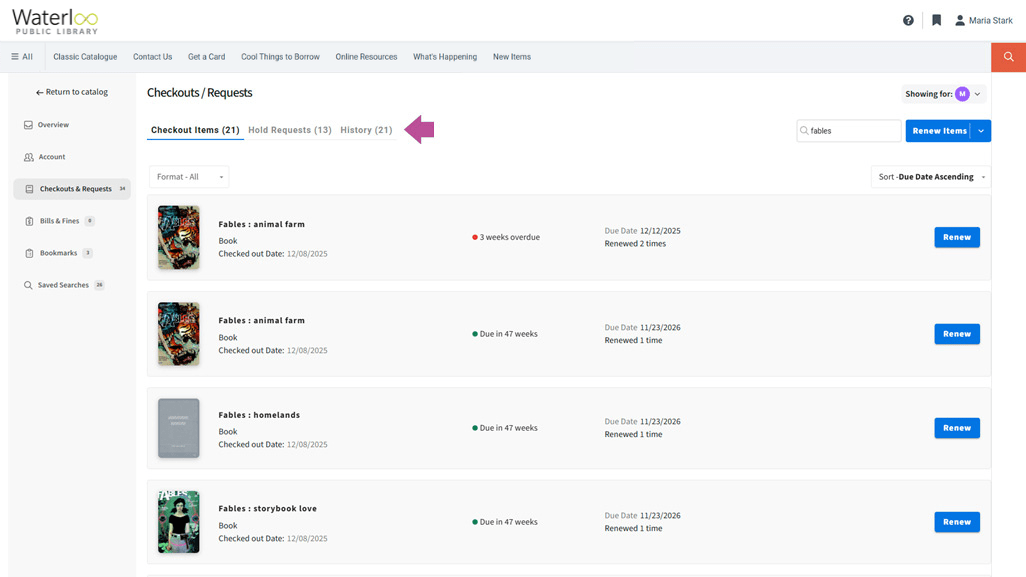
Whether you are viewing your checkouts, holds, or reading history, you will have the ability to search and sort each list. When viewing your checkouts, you can renew items individually or in bulk; when viewing your holds list, you can freeze/unfreeze, edit, or cancel holds, and when viewing your reading history you can share individual items as recommendations on social media or by email.
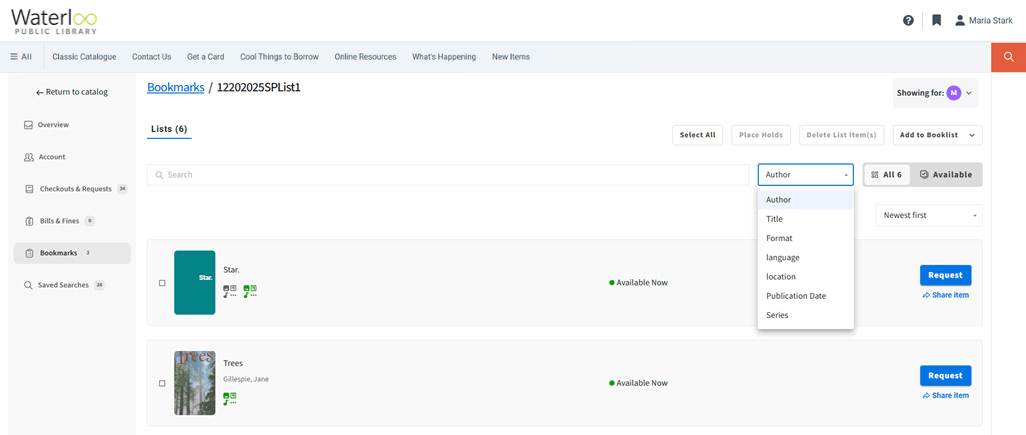
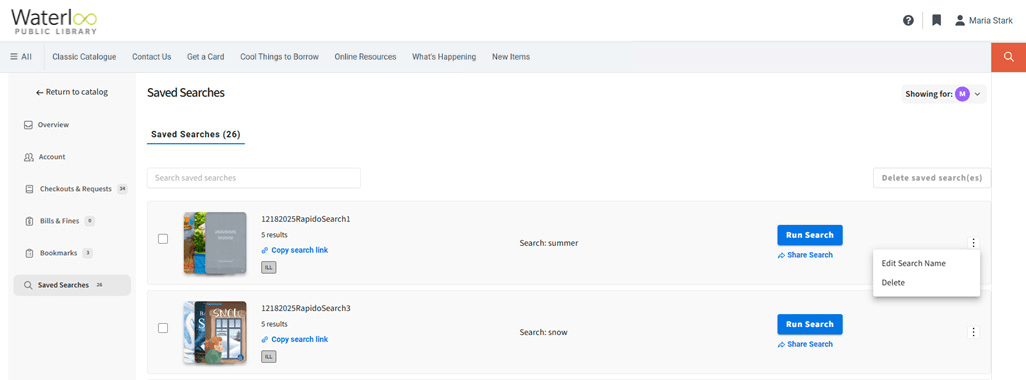
Managing Bookmarked Items and Saved Searches
Select your bookmarked items and add to custom booklists that you can share. You can also save and manage custom search strings.